Thank you for choosing Accessibility Checker.
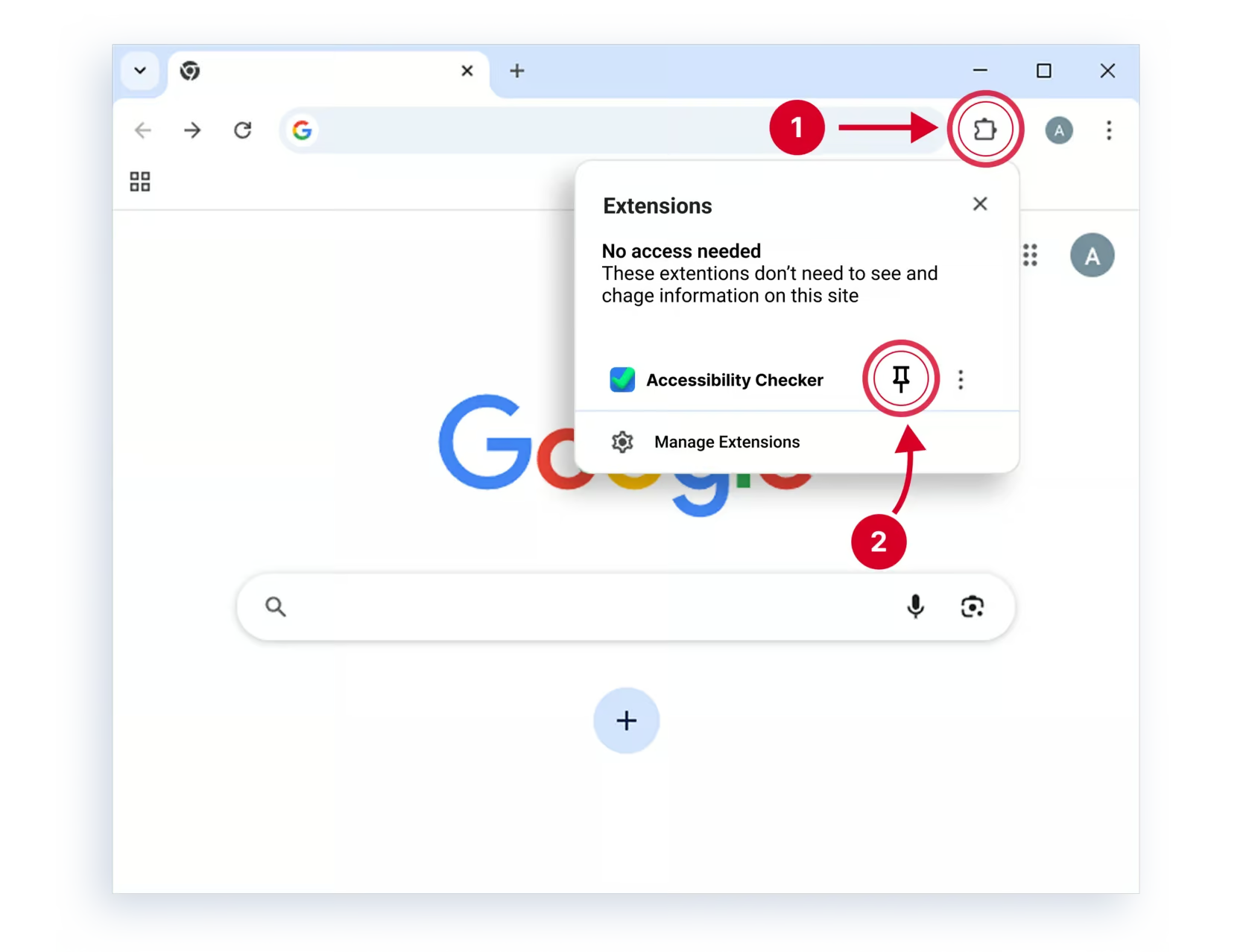
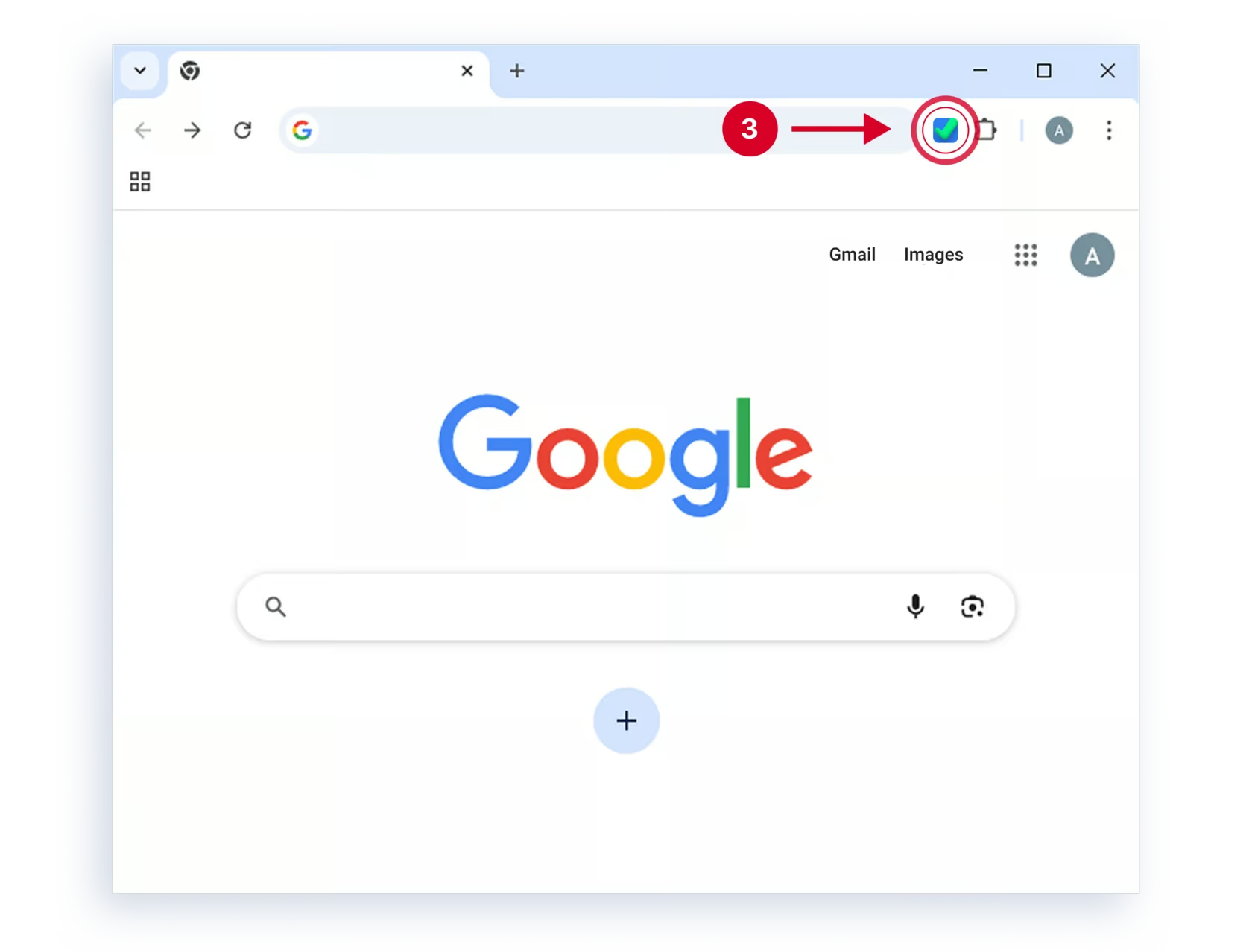
For easier access, pin the extension to the extensions toolbar:
- Click the puzzle icon to the right of the browser's address bar.
- In the dropdown, click the pin icon next to the extension name.
- On any website, launch Accessibility Checker using the extension icon.